Are iPhone cleaner apps scams?
Updated 23 September 2026 · 6 min read
Not all of them, but many promise what iOS forbids. No app can clear the system cache, free up RAM, "boost" the iPhone or clean other apps' data: the system isolates them. What an app can genuinely do is help you sort quickly what you control, your photos and videos first, and tell you how many gigabytes you get back. Four signs should make you walk away: a paywall before the first useful action, a trial whose end date and price are not stated, "duplicates" that are not, and gigabytes "freed on the iPhone" with no mention of the photo library.
Giga only cleans your photo library, and says so. Free up to 3 GB a week, prices shown before any payment, nothing uploaded.
What no app can do on an iPhone
On iOS, every app lives in a sandbox: it only sees its own files and whatever you allow it to see (photos, contacts, calendar). That leaves a short list of impossible promises:
- "Clear the cache" of the iPhone, of Safari, WhatsApp or games. A third-party app has no access to other apps' data. The system cache ("System Data" in Settings) shrinks with a restart or a restore, never through an app.
- "Free RAM", "boost", "cool down". iOS manages memory itself; an app can neither close other apps nor measure anything useful. Animated gauges are decoration.
- "Free X GB in one tap". At most, an app can propose photos to delete; the deletion goes through an iOS dialog you confirm yourself. There is no "one tap".
- Antivirus. iOS exposes nothing an antivirus could scan.
What an app can do, and it is already a lot: read your photo library to find duplicates, bursts, screenshots and heavy videos, then present them so you decide fast. Some do the same with duplicate contacts, or with emails if you hand over access to your inbox, which is a separate privacy question.
The four signs of an app to avoid
We read the one- and two-star reviews of the main cleaner apps on the US and French App Stores. The same complaints come back, in the same order.
- The paywall before the first useful action. By far the most frequent complaint: "advertised as free", then a payment screen before you could delete a single photo, or a cap of five deletions a day. A free app must let you finish at least one real clean-up without paying.
- The trial whose end is not stated. "Clicked free trial and immediately got charged for a very unwanted year's subscription." An App Store trial becomes paid when it ends unless you cancel at least 24 hours before. An honest app states the end date and the price that follows before you touch the button.
- "Duplicates" that are not. "It deleted similar pictures, not just duplicates." A duplicate is an identical copy; a burst, an edit, a different framing are not. An app that ticks the "best" photo of a series for you is deciding for you.
- Phantom gigabytes. "The app says I've earned 16 GB but it doesn't show in the Settings app." A library synced with iCloud often weighs ten to twenty times what the iPhone stores locally; an app that talks about "iPhone space freed" without saying what it means is setting you up for disappointment. And deleted photos stay 30 days in Recently Deleted.
How to read an App Store listing in thirty seconds
- Under the "Get" button, look for "In-App Purchases". Open the list: the subscriptions are there, with their prices.
- In the reviews, sort by "Most Recent" and read the low ratings: an app that changed its model or broke a feature shows up there, not in the average.
- Read the privacy policy for one question only: do the photos leave the iPhone? "Cloud" analysis means yes.
- After installing, do one useful action without paying. If you cannot, you have your answer.
Cancelling a trial or a subscription, without going through the app
Apple manages your subscriptions, not the developer. Settings → your name at the top → Subscriptions → tap the app → Cancel Subscription (or "Cancel Free Trial"). Access continues until the end date, and nothing is charged afterwards. If a charge already went through, refunds are requested at reportaproblem.apple.com.
Where does Giga stand?
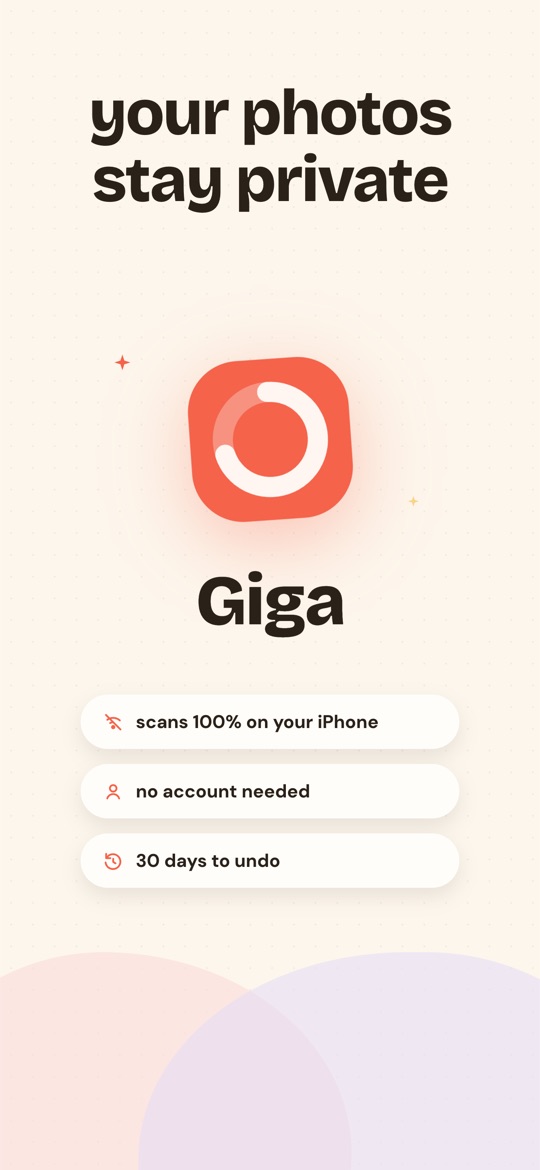
We wrote this page because Giga lives in the same category as the apps in question. Here is where it stands, point by point:
- The free plan deletes. Smart Swipe and month-by-month browsing, up to 3 GB deleted per rolling week, review and confirmation included. It is sized so you can finish a first 1 GB challenge without paying.
- Prices are written before any payment. $6.99 a week, $24.99 a year, or $44.99 once for life (US prices). The 3-day trial exists on the weekly and annual plans, and the app states the end date and the amount that follows.
- A duplicate is an exact copy, same instant and same file size to the byte. Bursts are laid out and you tick. Nothing goes without a full review, then the iOS confirmation.
- The numbers are library bytes, what deletion removes from the library and the iCloud quota. Giga never shows an "iPhone space" figure iOS does not provide.
- No photo leaves the iPhone, no ads, no ad tracking, no advertising identifier requested.
What Giga does not do. It does not touch the cache, apps, contacts or emails. It does not compress videos. It works with neither Google Photos nor Android. The six dedicated categories are in Premium; the free plan reaches them through Smart Swipe.
Frequently asked questions
Can an app clear the cache or free the RAM on my iPhone?
No. iOS isolates every app in its own sandbox: no app can read or erase system files, other apps' caches, or manage memory. An app that promises to "boost" or "clear the cache" of your iPhone is showing decorative numbers at best.
How can I tell whether a cleaner app is really free?
Look for "In-App Purchases" under the Get button, then try the first useful action: if you cannot delete anything without paying, the app is not free, whatever the listing says. An honest app states what the free plan allows, in numbers.
How do I avoid being charged at the end of a free trial?
An App Store trial turns into a paid subscription when it ends, unless you cancel at least 24 hours before. To cancel: Settings → your name → Subscriptions → the app → Cancel. The trial keeps running until its end date, with no charge.
Is Giga free, and what happens at the end of the trial?
The free plan lets you actually delete up to 3 GB per rolling week, with Smart Swipe and month-by-month browsing. The 3-day trial exists on both subscriptions, weekly ($6.99 a week afterwards) and annual ($24.99 a year afterwards); lifetime access ($44.99, once) is charged right away. The app says so before any payment, and the trial is cancelled in iOS Settings.
Free on the App Store · iOS 16.4 or later · no photo ever uploaded.