Why is my iPhone storage full when I have iCloud?
Updated 23 September 2026 · 5 min read
Because iCloud does not empty your iPhone: it syncs it. With Optimize iPhone Storage, the originals live in iCloud, but the iPhone keeps a lightweight version, thumbnails and a cache for every photo, and the "Photos" line in Settings counts all of it. On a large library that is several gigabytes no setting will make disappear. The only thing that frees the iPhone, iCloud and the library at the same time is deleting what you no longer want, then emptying Recently Deleted. That is what Giga is for: it finds the duplicates, screenshots and heavy videos, and you decide with a swipe.
Giga measures what your photos and videos really weigh, and what each deletion removes from your library and your iCloud quota.
What the "Photos" line in Settings really counts
Open Settings → General → iPhone Storage. The bar at the top and the "Photos" line do not describe your library: they describe what the iPhone stores locally for it.
- Without iCloud Photos, it is simple: every photo and video sits on the iPhone at full size. The Photos line is the library.
- With iCloud Photos and "Download and Keep Originals", same thing: everything is full size on the iPhone, and copied to iCloud on top.
- With iCloud Photos and "Optimize iPhone Storage", the originals are in iCloud and the iPhone keeps lightweight versions, plus thumbnails for the whole library, plus the originals you viewed recently. That cache is what the Photos line shows, and it does not melt to zero: iOS only shrinks it when space runs out, and never below a certain floor.
An order of magnitude measured on a 128 GB iPhone: a 183 GB library in iCloud, and a Photos line at 8.86 GB in Settings. Those 8.86 GB cannot be recovered by deleting two videos: they are the thumbnails and optimized versions of every photo.
What actually fills a "full" iPhone
If the Photos line is modest and storage is full anyway, the culprit is elsewhere. On the same screen, look in this order:
- Apps and their data: messaging (WhatsApp and Messages attachments), videos downloaded for offline use, games.
- "System Data", the cache of iOS itself, which can grow to tens of gigabytes and only shrinks with a restart or, in severe cases, a restore.
- Photos and videos, with the cache described above.
No app can clean the iOS cache or other apps' caches: the system does not allow it. An app that promises to is lying. What an app can do is help you decide quickly what leaves your photo library, which is the one thing you control directly.
The one action that frees the iPhone, iCloud and the library at once
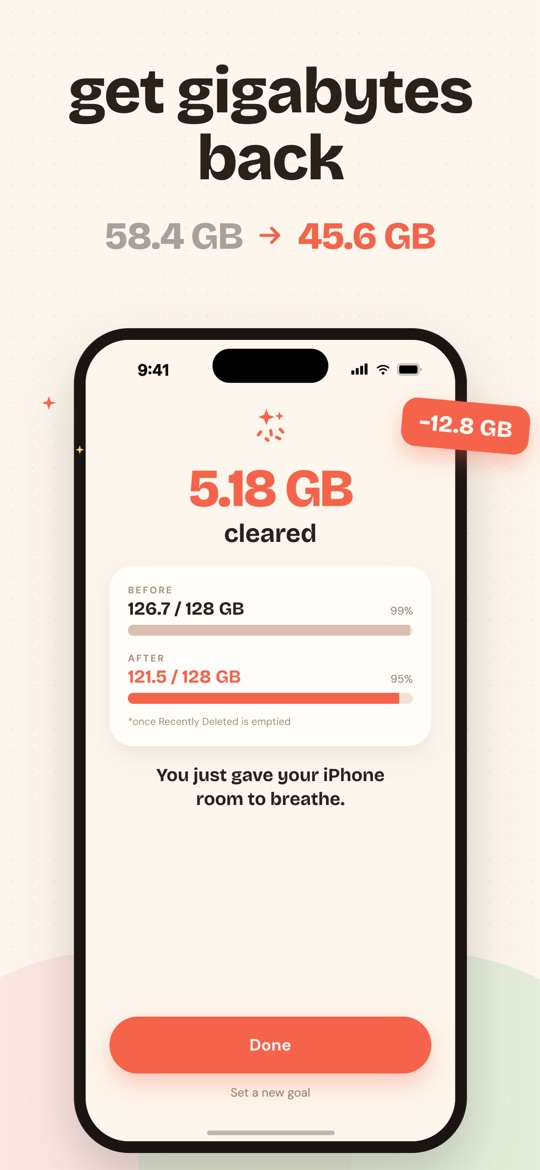
Delete what you no longer want. A photo removed from the library leaves iCloud, the iPhone, the iPad and the Mac, because it is one synced library. Those are the only gigabytes you get back everywhere at once.
The problem is the sorting: nobody reviews twenty thousand photos one by one. That is where Giga comes in.
- The analysis runs on the iPhone, without downloading originals from iCloud. Giga reads the real size of every file and separates exact duplicates, bursts, screenshots, large videos, screen recordings and old photos.
- You set a goal, say 5 GB, and sort with a swipe: left to delete, right to keep. The bar moves with every decision.
- You review and confirm. Nothing goes without a review of the selection, then the iOS confirmation dialog.
- You empty Recently Deleted in Photos (Collections → Utilities → Recently Deleted) if you want the space right away. Otherwise iOS does it after 30 days.
What about "delete from iPhone without deleting from iCloud"?
It is one of the most searched questions, and the honest answer is: not photo by photo. With iCloud Photos on, the iPhone and iCloud are one library; deleting on one side deletes on both. Two real options exist:
- "Optimize iPhone Storage" (Settings → Photos): originals stay in iCloud, the iPhone keeps only lightweight versions. That is exactly "keep in iCloud, lighten the iPhone", with the incompressible cache described above.
- Turn off iCloud Photos: the iPhone library becomes independent, and you can delete whatever you want without touching iCloud. But nothing you shoot afterwards will be backed up.
What Giga does not do. It does not touch apps, "System Data" or the iOS cache. It never shows an iPhone-storage figure: all its numbers are library bytes, meaning what deletion really removes from the library and the iCloud quota. And it cannot delete "from the iPhone only".
Frequently asked questions
If I delete a photo in Giga, does it disappear from iCloud too?
Yes. With iCloud Photos on, your iPhone and iCloud share a single library: a photo deleted from any app, Giga or Photos alike, leaves all your devices. It stays 30 days in Recently Deleted, where you can restore it.
Why doesn't the Photos line in Settings drop right after a deletion?
Because deleted photos stay 30 days in the Recently Deleted album, and because iOS rebuilds its cache of thumbnails and optimized versions at its own pace. Emptying Recently Deleted speeds up the first part; the second happens on its own, often after a night on the charger.
Can you delete photos from iPhone without deleting them from iCloud?
Not photo by photo, no: it is the same library. What exists is Optimize iPhone Storage (Settings → Photos), which keeps the originals in iCloud and lightweight versions on the iPhone. The other option is turning iCloud Photos off, but the iPhone library then stops syncing.
Does Giga measure iPhone space or library space?
Library space. Every number in Giga is the real weight of the photos and videos that deletion removes from your library and your iCloud quota. Giga never invents a device-storage figure that iOS does not provide.
Free on the App Store · iOS 16.4 or later · no photo ever uploaded.